

Eliminating Setup Guesswork with the Framework Diagnostics Tool in RadSystems Studio
Scan your system, verify dependencies, and prepare your environment for RadSystems Studio with the powerful built-in Framework Diagnostics Tool.
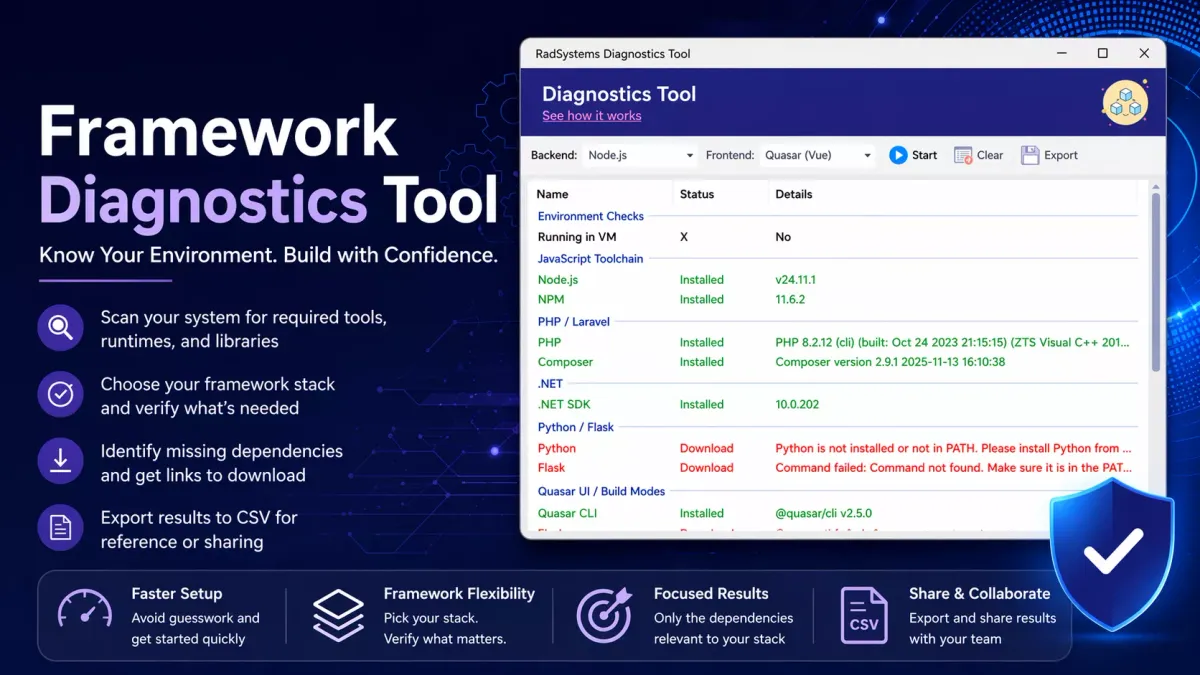
Modern application development demands both speed and structural integrity. This is where RadSystems Studio distinguishes itself. It empowers developers to deliver industry-grade applications in remarkably short timeframes, without compromising on architecture, maintainability, or coding standards. Instead of spending days assembling boilerplate layers, developers can focus directly on business logic and customization.
With just a few configuration steps, the platform generates a clean, well-structured codebase aligned with industry best practices. It supports multiple development frameworks, allowing you to choose your preferred tech stack freely without sacrificing code quality. No prompts. No iterative refinements. Just deterministic, clean, and scalable code generated through a few intuitive clicks.
To make this flexibility possible, each supported framework stack depends on a specific set of tools, runtimes, and libraries that must be available on your system.
Every development stack requires its own ecosystem of dependencies to be installed locally before you can start building applications. RadSystems Studio does not bundle these dependencies by default. This approach helps prevent version conflicts and ensures that your existing development environment remains stable and unaffected.
At the same time, missing or incompatible dependencies can lead to issues when building or publishing applications. For developers who are not deeply familiar with each framework’s requirements, identifying what is already installed and what is missing can become a challenge. This is exactly where the Framework Diagnostics Tool proves valuable.
Introducing the Framework Diagnostics Tool
The Framework Diagnostics Tool in RadSystems Studio is designed to analyze your system’s readiness for development across supported frameworks.
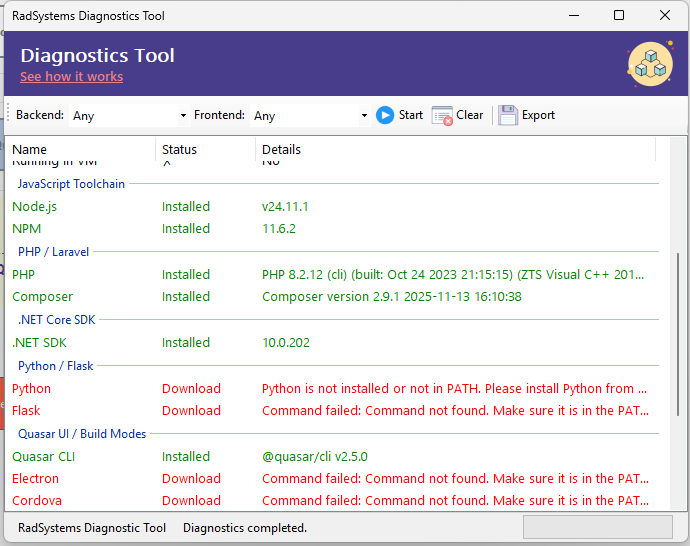
At its core, the tool performs a comprehensive scan of your environment, checking whether all required components are installed, properly configured, and compatible in terms of version.
For each dependency, the tool displays the installed version if available, or clearly marks it as missing. This provides a clear and actionable overview of your system’s readiness.
Understanding the User Interface (Refer to Screenshot)
The Framework Diagnostics Tool features a clean, structured interface designed for clarity and efficiency. The layout is intentionally simple so that you can quickly assess your system readiness without digging through complex menus.
Framework Selection Controls
At the top of the interface, you will find dropdowns to select the Backend and Frontend frameworks of interest. This is a key usability feature.
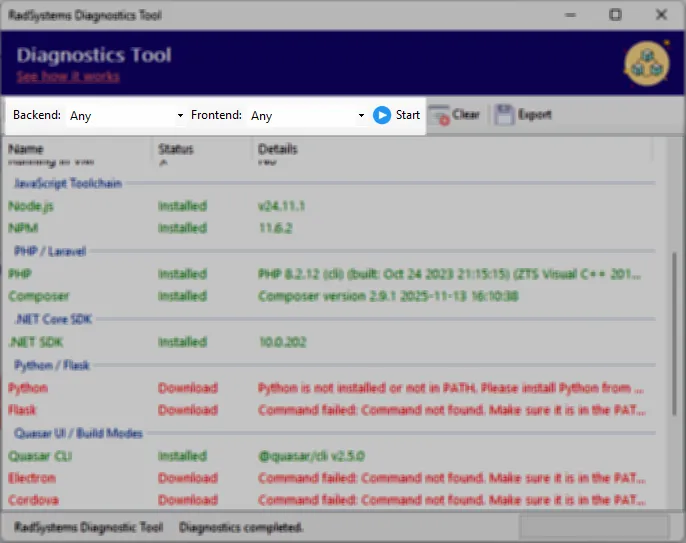
Instead of scanning everything, you can:
- Select a specific backend (for example, Node.js, PHP, .NET, Python)
- Select a frontend (for example, Quasar Vue)
- Run diagnostics only for the selected combination
This allows you to focus only on the toolchain relevant to your current project.
Important: Not All Dependencies Are Required.
For example:
- If you choose Node.js as backend and Quasar Vue as frontend for a web application
- Then you only need to verify Node.js, NPM, Quasar CLI, and related dependencies
You may notice that the diagnostics tool also lists components for:
- Mobile development (Cordova, Android SDK, Gradle)
- Other backend frameworks (PHP, .NET, Python)
If you are not working with those stacks, you can safely ignore missing dependencies in those sections. This prevents unnecessary installations and keeps your environment clean and optimized.
Diagnostic Results Panel
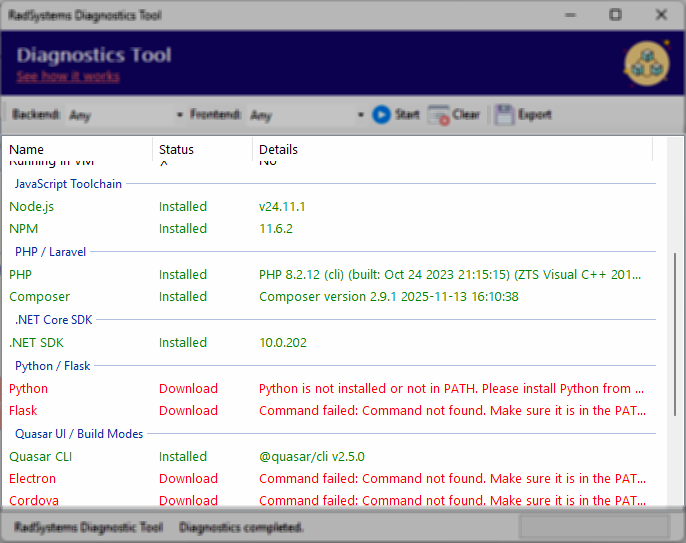
Once the scan is executed, results are presented in a structured format with three key columns:
- Name
- Status
- Details
Each dependency is clearly listed along with its status:
- Installed dependencies are shown with their exact version numbers
- Missing dependencies are clearly flagged
This structured output removes guesswork and gives you immediate clarity on what is ready and what needs attention.
Download Option for Missing Dependencies
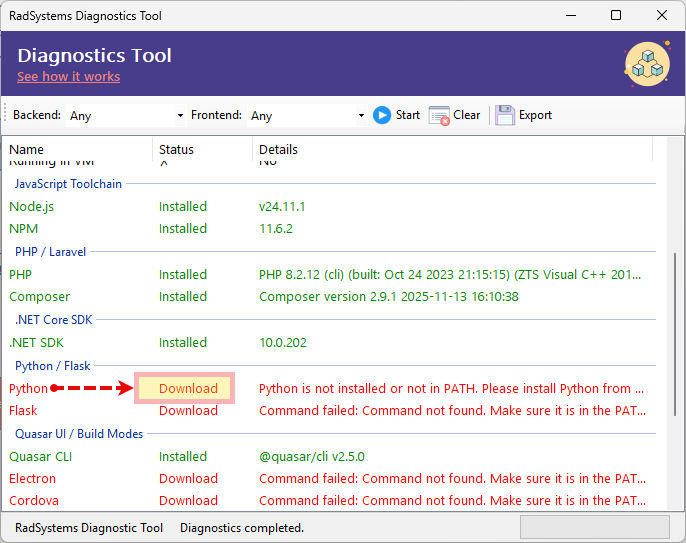
For any missing dependency, the tool provides a Download option. Clicking it takes you to the official source where you can obtain the correct version and install it manually.
RadSystems Studio does not perform automatic installations. This ensures:
- Full control over what gets installed
- Compliance with licensing requirements
- No unintended changes to your system environment
Export Functionality
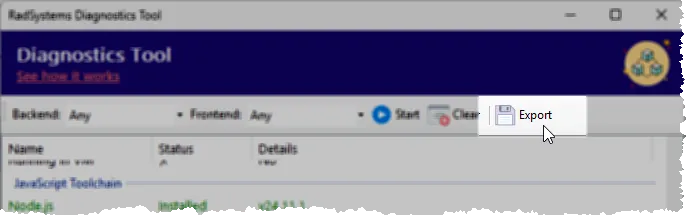
After completing a scan, the results can be exported to a CSV file. This is useful for sharing with team members, maintaining records, or troubleshooting across different environments.
Diagnostic Scan Checklist
When a full diagnostic scan is performed, the tool evaluates multiple aspects of your system:
System Information
- Operating System
- Processor
- RAM
- 64-bit OS
- Machine Name
- User
- CLR Version
Environment Checks
- Running in Virtual Machine (VM)
JavaScript Toolchain
- Node.js
- NPM
PHP / Laravel
- PHP
- Composer
.NET
- .NET SDK
Python / Flask
- Python
- Flask
Quasar UI / Build Modes
- Quasar CLI
- Electron
- Cordova
Mobile (Cordova / Android)
- Gradle
- Java
- Android SDK (adb)
Connectivity Check
- Verifies access to radsystems.io to ensure the system can communicate with required services
From Diagnostics to Actionable Setup
The real value of the Framework Diagnostics Tool lies in its ability to turn system checks into actionable insights. Once the scan is complete, you can quickly identify missing dependencies, detect outdated versions, and decide what needs to be installed or updated.
This transforms what is typically a trial-and-error setup process into a structured and reliable workflow.
Get Started TODAY!
RadSystems Studio accelerates application development by reducing complex processes into a few simple steps. However, a properly configured development environment remains essential for smooth builds and successful deployments.
The Framework Diagnostics Tool provides complete visibility into your system readiness, helping you eliminate uncertainty and avoid setup-related issues.
If you are working with RadSystems Studio or planning to start, make the Framework Diagnostics Tool your first step before beginning any project.
Run a diagnostic scan, validate your environment, and ensure everything is in place before you start building.
With a properly configured environment, RadSystems Studio helps you build applications faster while ensuring they are stable, maintainable, and ready for real-world use.

Comments ()